How to Activate Your Game on Nintendo Switch
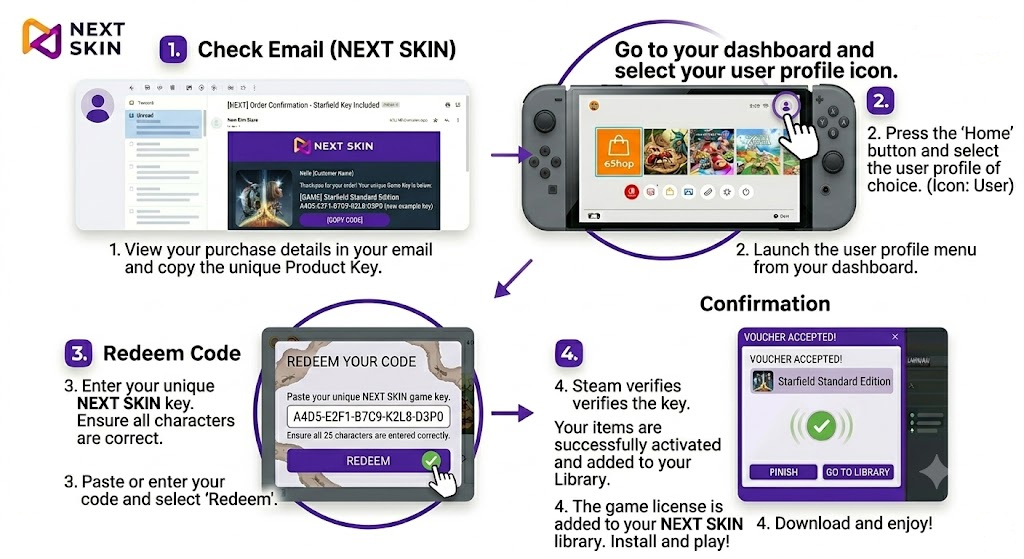
How to Activate Your Game
Here are the step-by-step instructions to redeem your product and get started.
STEP 1: Check your email Open your email inbox and find the order confirmation from Next Skin. Locate your unique 25-character product key and copy it.
STEP 2: Launch the eShop On your console, navigate to the Nintendo eShop on your dashboard. Ensure you select the profile you wish to use for this game.
STEP 3: Redeem your code Scroll to the bottom of the eShop menu on the left side of the screen and select ‘Redeem Code’. Type or paste your 25-character code into the box.
STEP 4: Confirm and enjoy Steam will verify your code, and the game license will be successfully added to your library. Download and get ready to enjoy your new adventure!